Get booked
Customers pick a service, add the options you offer, and choose a real open time — no back-and-forth DMs, no account to create.
See booking featuresOne link with your services, prices, gallery, reviews, and a Book now button. Deposits and reminders included.
Card required to open your dashboard. $1 per transaction when a customer pays. No subscription.

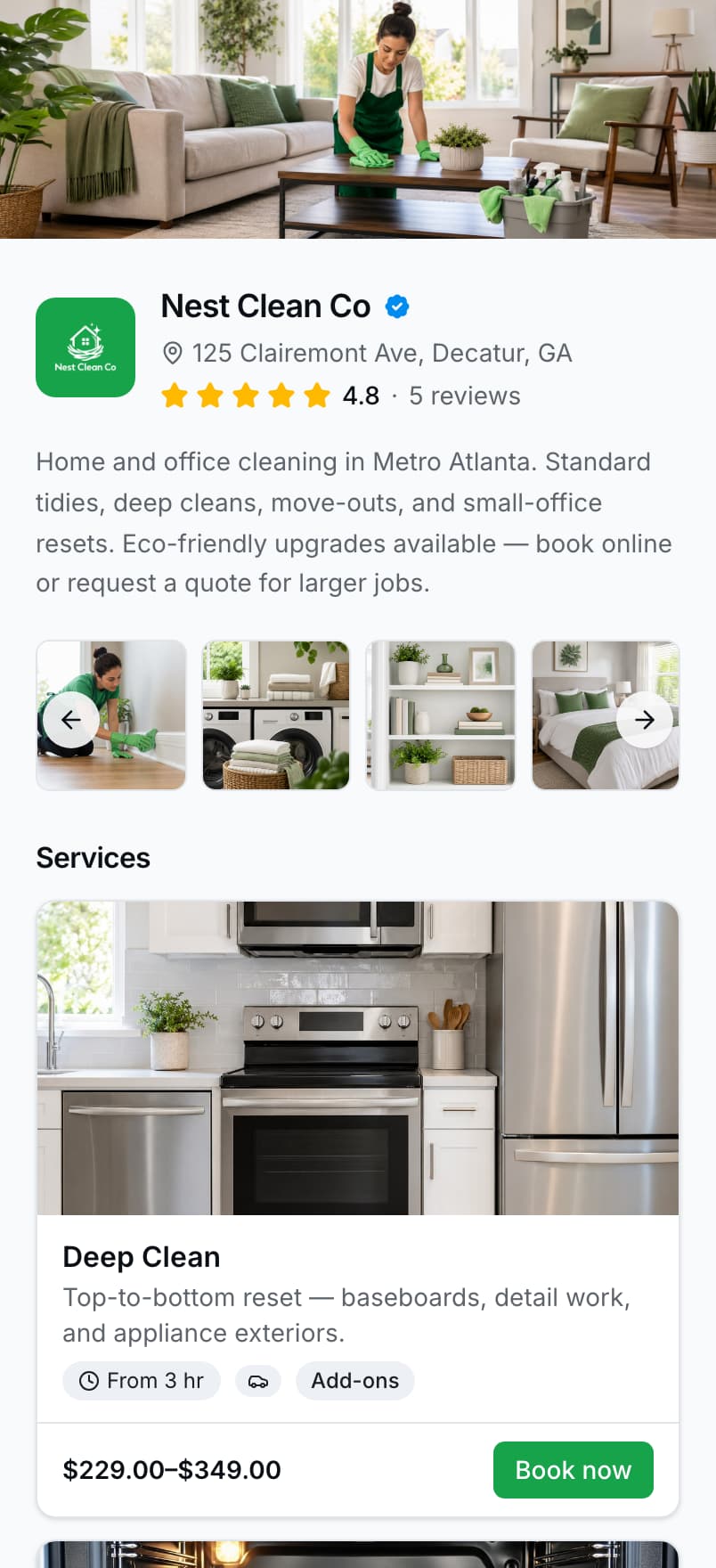
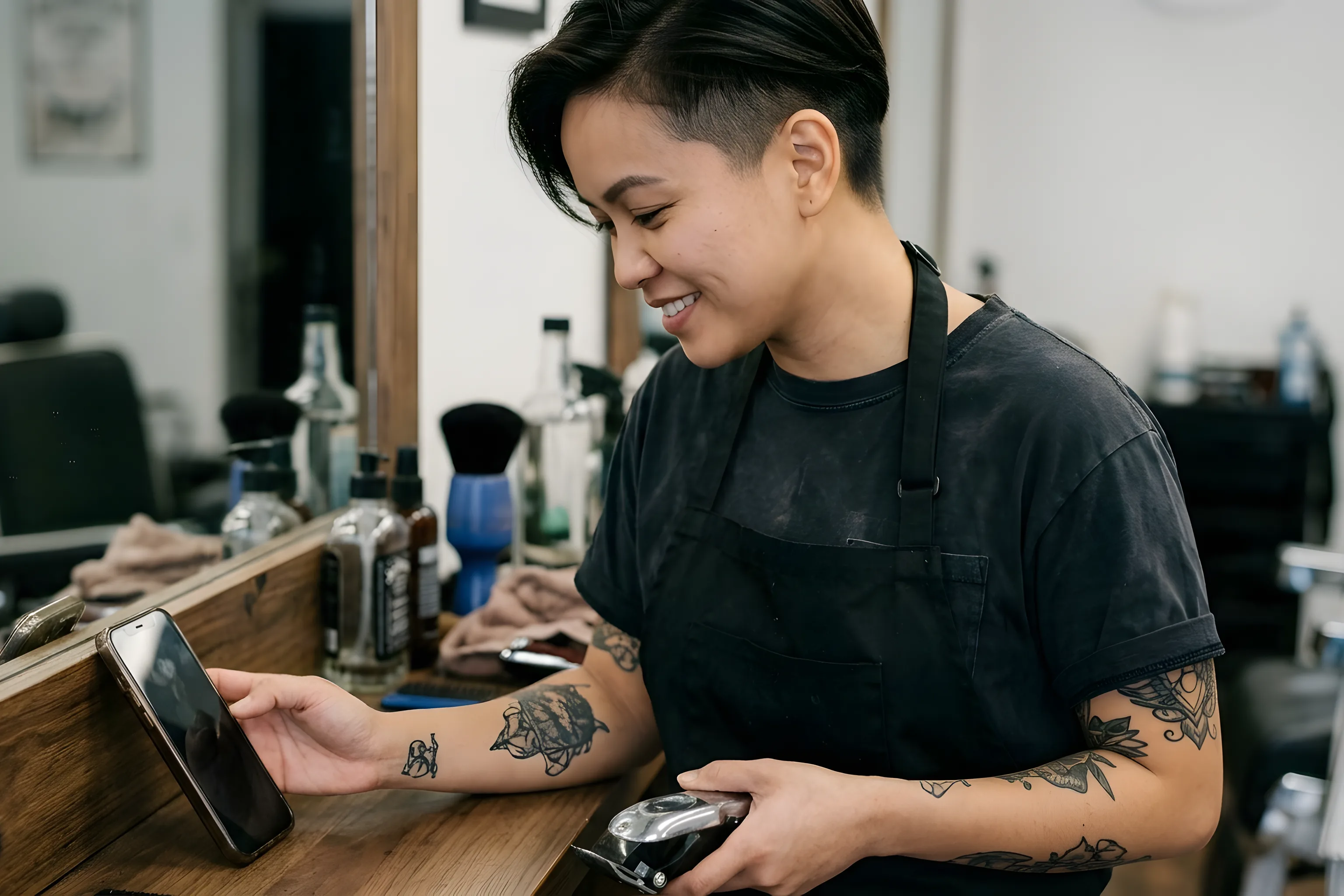
The photograph and the page belong to the same business. A real screenshot of Nest Clean, a seeded demo tenant — its services, prices, and rating are seeded demo data.
One page, bookable everywhere your customers already look
 Google
 Facebook
 Instagram
 TikTok
 WhatsApp
 Messages
 ChatGPT
 Claude
 Gemini
Everything you need to take bookings, collect payments, and manage your schedule — from one link.
Customers pick a service, add the options you offer, and choose a real open time — no back-and-forth DMs, no account to create.
See booking features
Take a deposit when they book and card payments through Stripe or Square. Cash, Venmo, and Zelle stay available as offline options.
See how pricing works
When paid work is done, a review request can go out through the channel the customer picked. Reviews on your page come from real jobs only.
See review handoffYour BookingLink page isn't a link list. It's a full booking experience: services, prices, photos, reviews, and Book now.
A real screenshot of the nestclean demo page. Services, prices, and ratings are seeded demo data.
No account for the customer to create, no app to download, no back-and-forth to agree on a time.
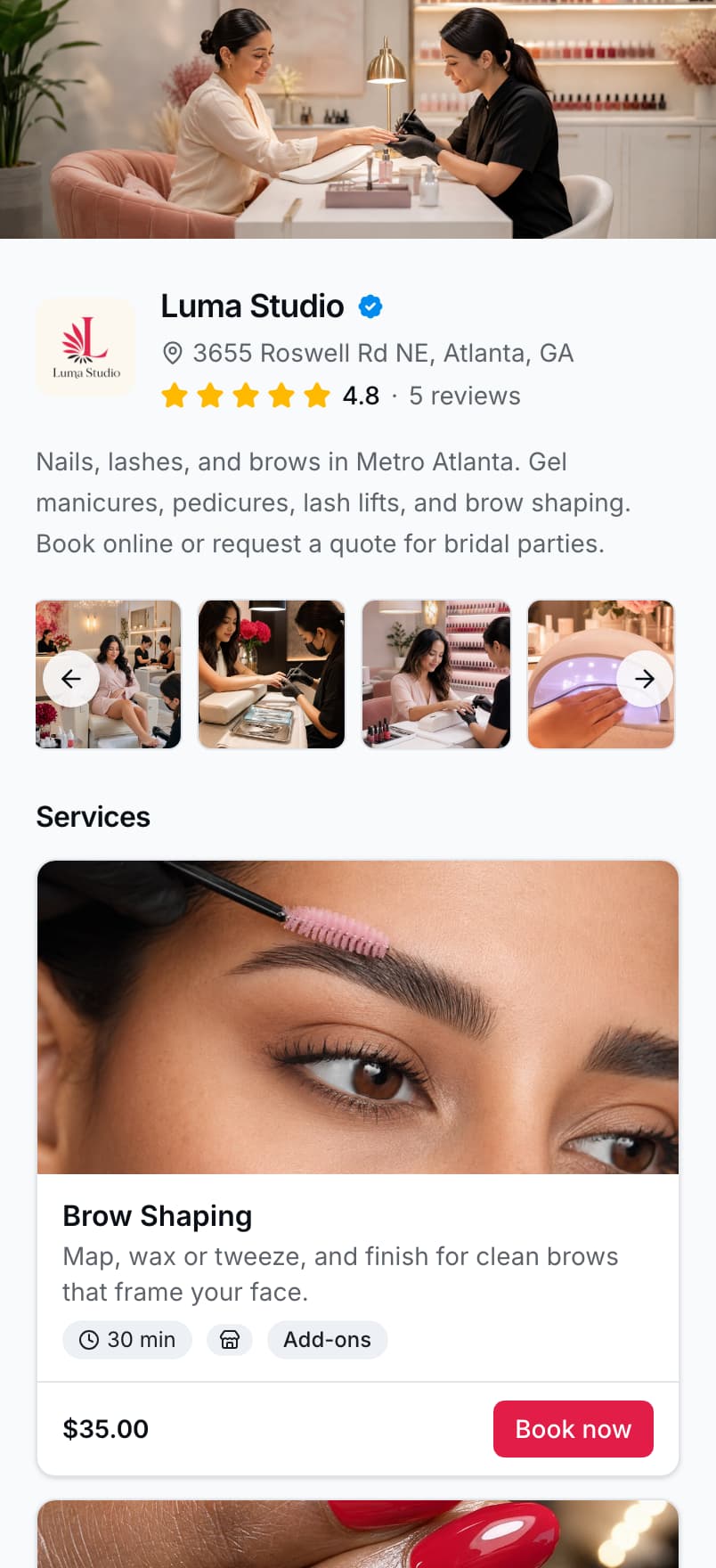
They open your link and see what you actually do, with prices.
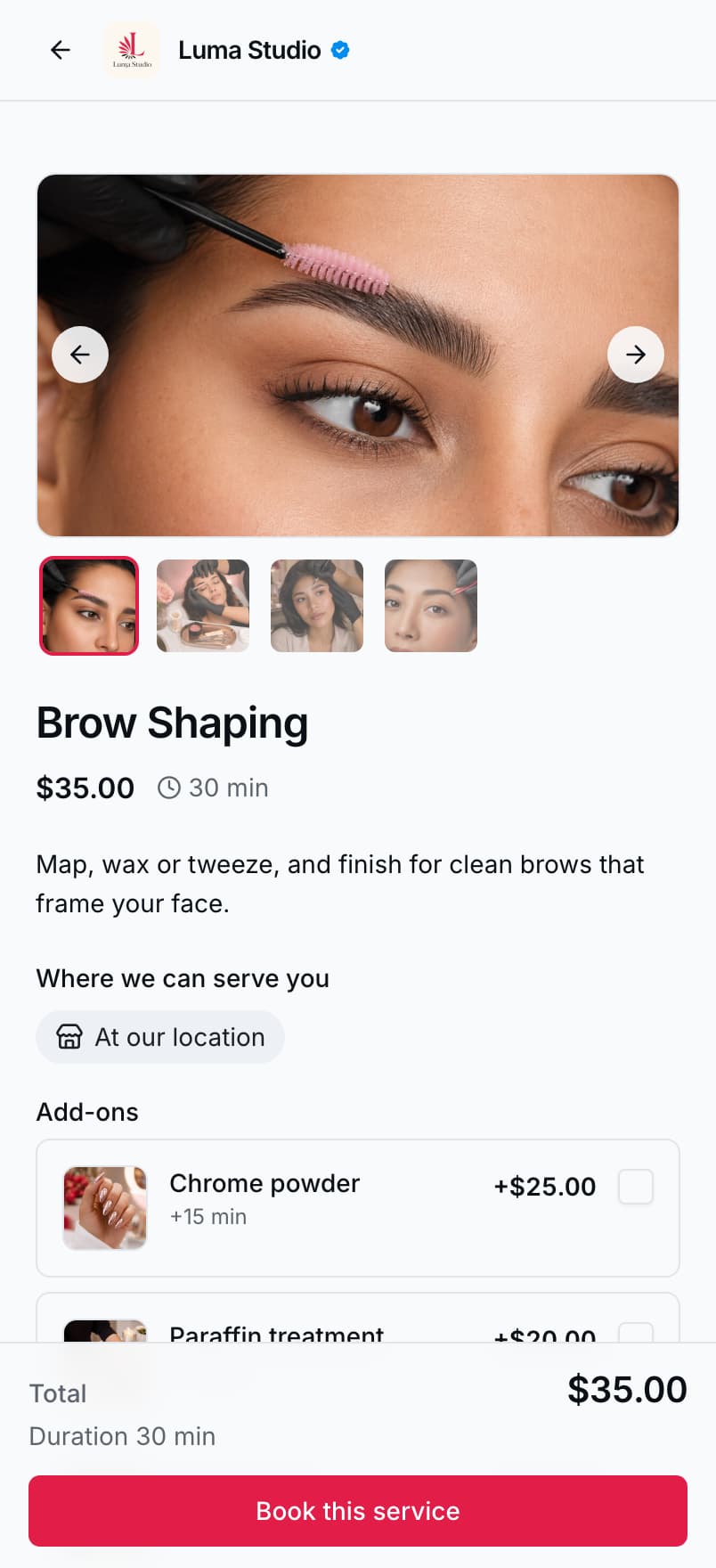
They pick a service and any options you offer.
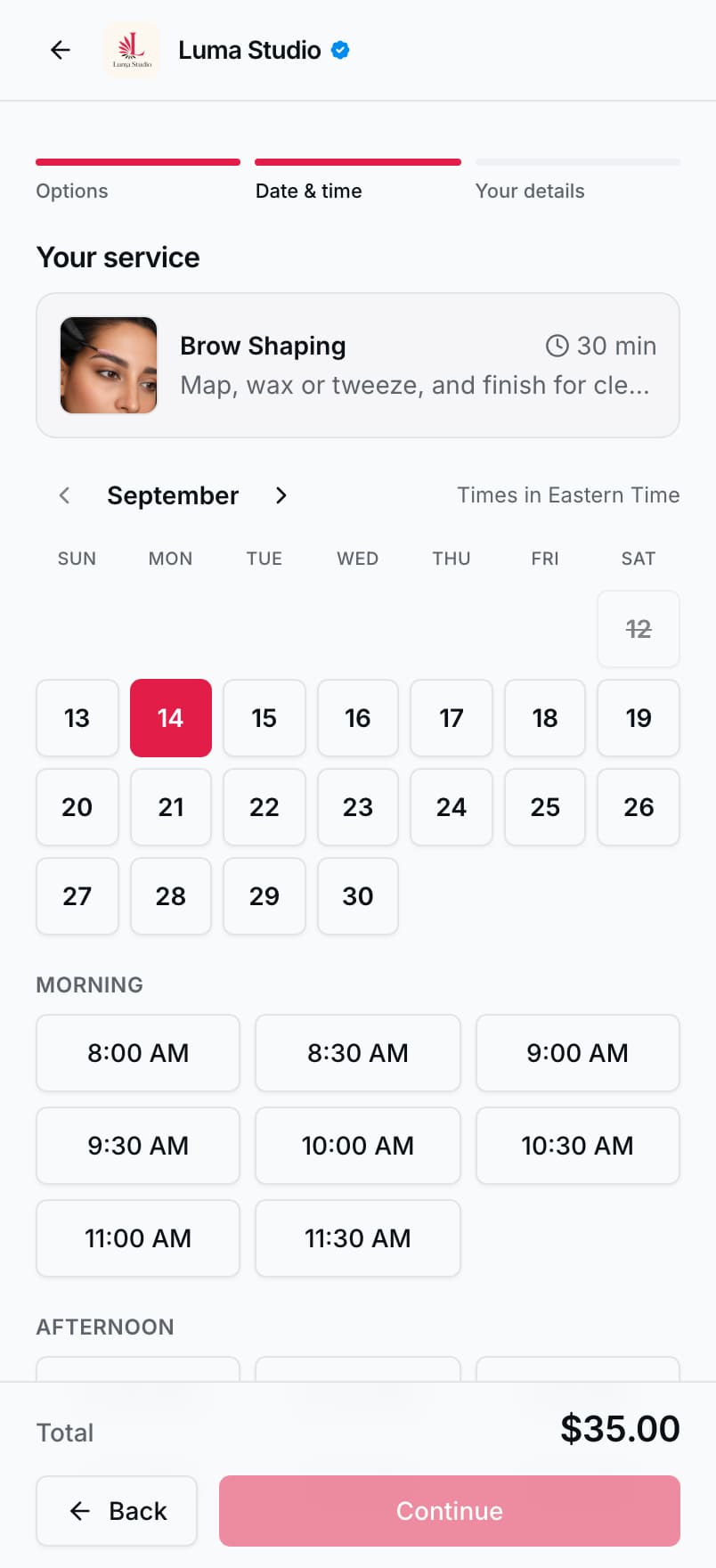
They choose from your real open times. Booked ones are struck out.
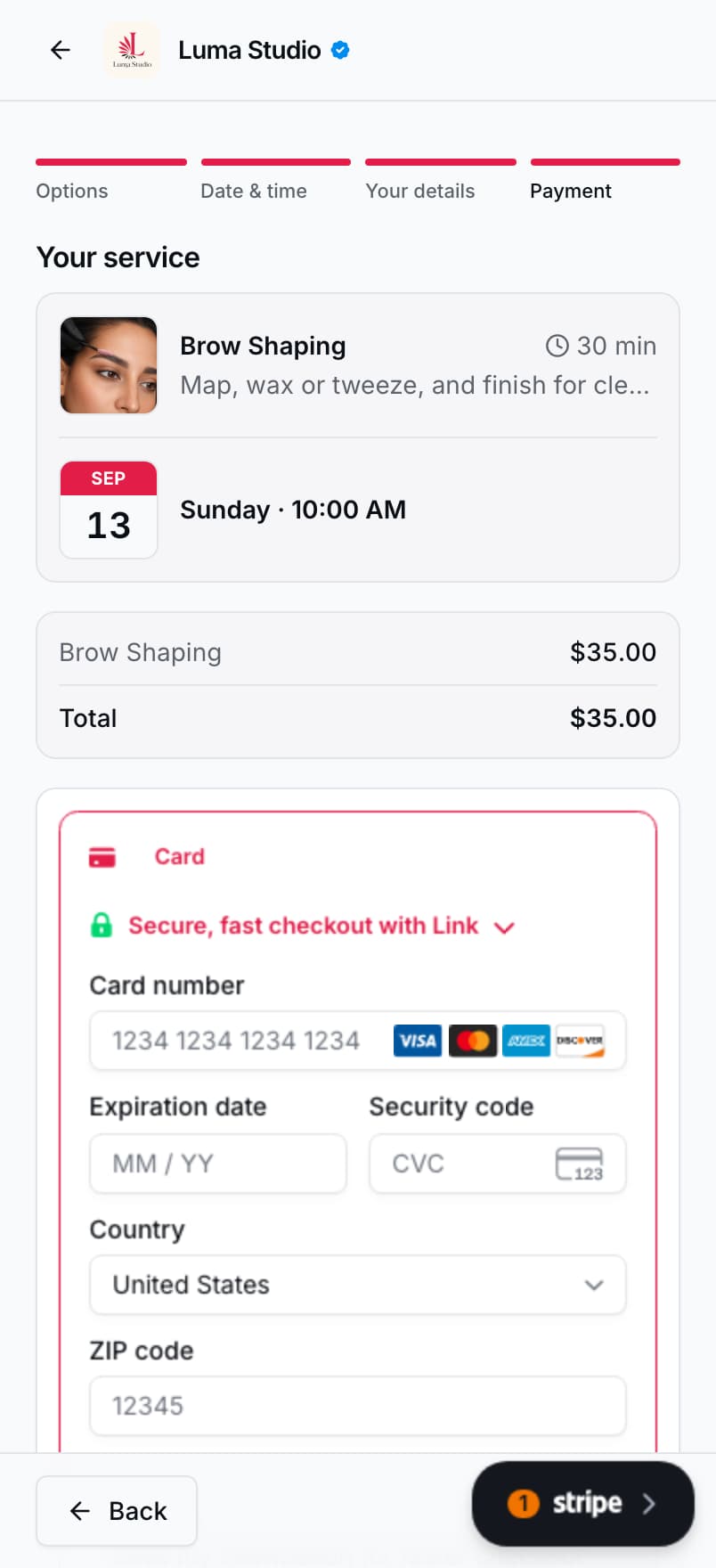
They pay by card at checkout, or pick cash, Venmo, or Zelle.
Real screenshots of the Luma Studio demo page. Services, prices, and availability are seeded demo data.
One mobile-first dashboard for the whole business — the same screens on a laptop at the end of the day.
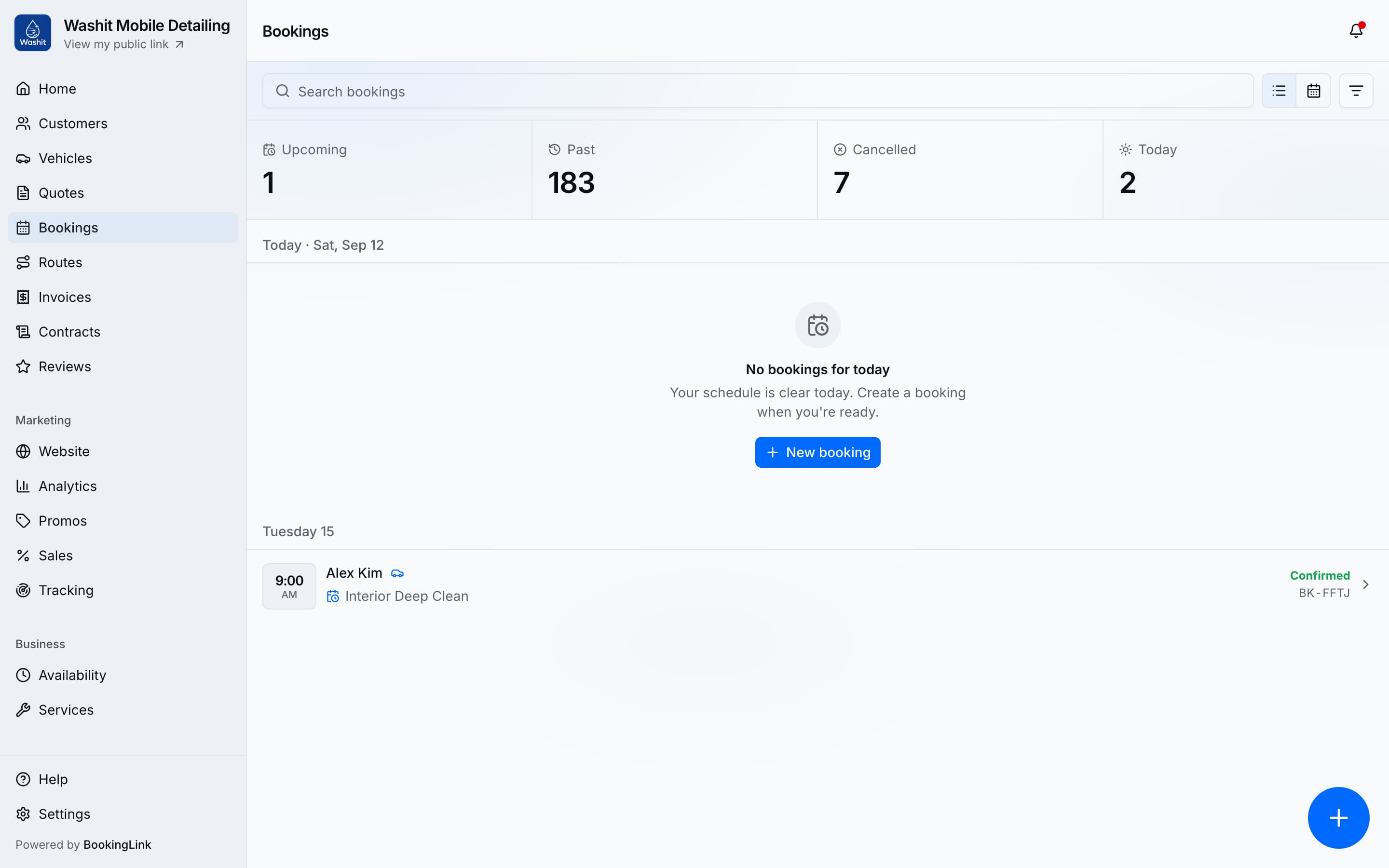
A real screenshot of the washit demo account. Bookings and customer names are seeded demo data.
Connect Stripe or Square — or both, and choose which one runs your cards. Money settles into that account, not into a wallet you have to cash out.
What your customers pay with


Take the full price at checkout, or a deposit at booking and the balance when the job is done.
And the ways you already get paid
Cash, Venmo, and Zelle stay on the booking page as offline options, and record against the invoice the same way.
Card processing fees are your processor's own. $1 per transaction goes to us, the first time a customer pays an invoice.
Google, texts, referrals, social, flyers — the same booking page everywhere. Social is one channel, not the whole story.
One URL — yourname.bookinglink.ai — works in all of them.
Three steps, from a blank profile to a link you can send.
Business name, bio, location, and phone. Like setting up a profile — not building a website.
Name, price, duration. Set hours and lead time so customers only see real availability.
Drop yourname.bookinglink.ai wherever customers find you — your Google listing, a text signature, a referral message, a flyer QR, or your bio.
The day after they book: today's route, a bill you can send, and the people you already serve.
Send a clear bill, take payment, and nudge when a balance is still owed.

Leave-by times, drive summaries, and next-stop directions for today's in-person jobs.

Send outbound quotes or let customers request custom jobs.
One place for who you serve. Phone, history, and who is due again.
Eighteen trades, one booking page. Every one gets the same product — the words and the fields just fit the work.
Free tool
Pick your trade, answer a few questions, and get plain-English terms built around the disputes that happen in your industry. Free, no account needed.
Full product access for every business. You pay when a customer pays you.
$1per transaction
Charged the first time a customer pays an invoice, invoiced monthly. Unpaid invoices aren't billed.
Get startedAdd a card to open your dashboard. $1 per transaction when a customer pays. No subscription.
“People pick a groom and a time on the link. I stopped living in my DMs.”
“People pick a tune-up and a time on the link. I stopped living in voicemail.”
“They book the crawl from the page. I stopped quoting the same wet hatch in texts.”
These are written by us to show the provider's voice, not collected customer reviews. Reviews on a provider's own booking page come from real jobs only.
Most bio link tools show a list of links. Most Google Business profiles just show your phone. BookingLink shows your services with prices, a Book now button, reviews, and deposits — everywhere you send it.
When someone is ready to book, a full website makes them dig around. Your booking page puts services, prices, and Book now right in front of them — fewer steps, more bookings.
No. If you can fill out a profile, you can build your page. Most providers are live in about five minutes.
There's no monthly subscription. You get the full product, and we charge $1 per transaction — the first time a customer pays an invoice — invoiced monthly. Unpaid invoices aren't billed.
Yes, before you can open the dashboard. Sign up with email or Google, finish your profile, then add a card. We use it to invoice the $1 per transaction — not a monthly subscription. You are not charged at signup.
You claim a subdomain during signup — like yourname.bookinglink.ai. Put it in your Google listing, a text signature, a referral message, a flyer QR, or your bio.
Claim your link, add your services, and share it wherever customers find you. Live in about five minutes.
Add a card to open your dashboard. $1 per transaction when a customer pays. No subscription.


