AI connector
Ask ChatGPT or Claude about your business — schedule, money, customers, contracts, vehicles, and more — without pasting private data into the chat. Connect once under Settings → Connections; answers come from live BookingLink data (read-only).
See it in action
See it
Settings → Connections with Claude connected and Try asking prompts
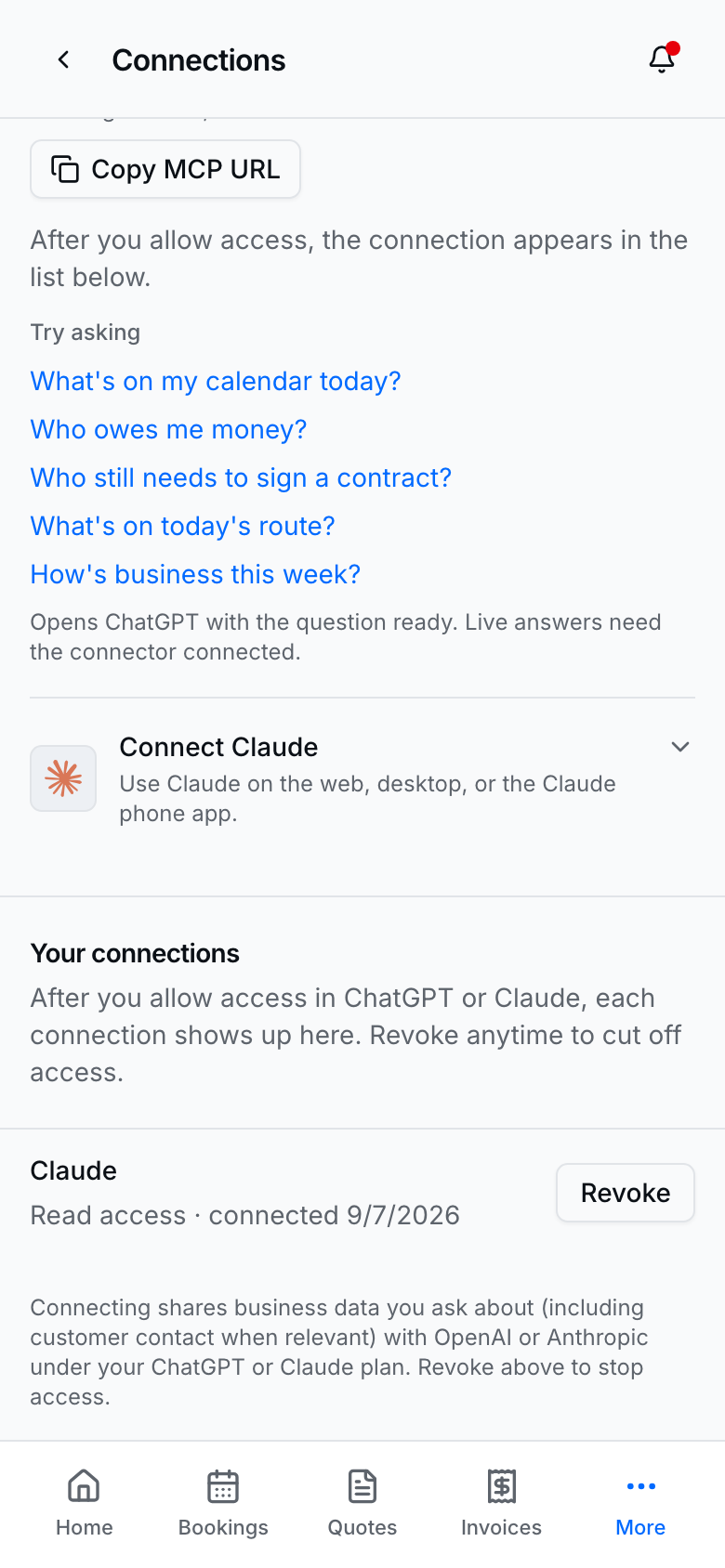
Connect ChatGPT or Claude from Settings → Connections, then use Try asking on that page — each question opens ChatGPT or Claude with the prompt ready (turn on the BookingLink connector in that chat if it isn’t already).
How to use it
- Open Settings → Connections.
- Pick ChatGPT or Claude and follow the numbered connect steps (OAuth consent).
- In that app, ask about your business — or tap a Try asking link. Useful examples:
- What’s on my calendar today? - Who owes me money? - Who still needs to sign a contract? - What’s on today’s route? - How’s business this week? - Any open quotes or quote requests? - What are my recent reviews? - Which promos are active? - Am I accepting bookings? - What services do I offer?
- Revoke anytime from the same Connections page if you disconnect an assistant.
Tips
- This is read-only — assistants cannot send SMS, create bookings, or change prices. Mutations stay in the BookingLink app.
- Connecting shares business data (including customer contact when asked) with OpenAI or Anthropic under your ChatGPT/Claude plan terms.
- Customer discovery booking (“find a provider near me”) is a separate public channel — see AI discovery booking.
- Contract answers include sign/view links when available, not signature images or full legal bodies in chat.