Calendar & scheduling
Only show times you can actually take. Weekly hours and time off keep public slots honest in your business timezone — fewer “sorry, I’m booked” moments.
See it in action
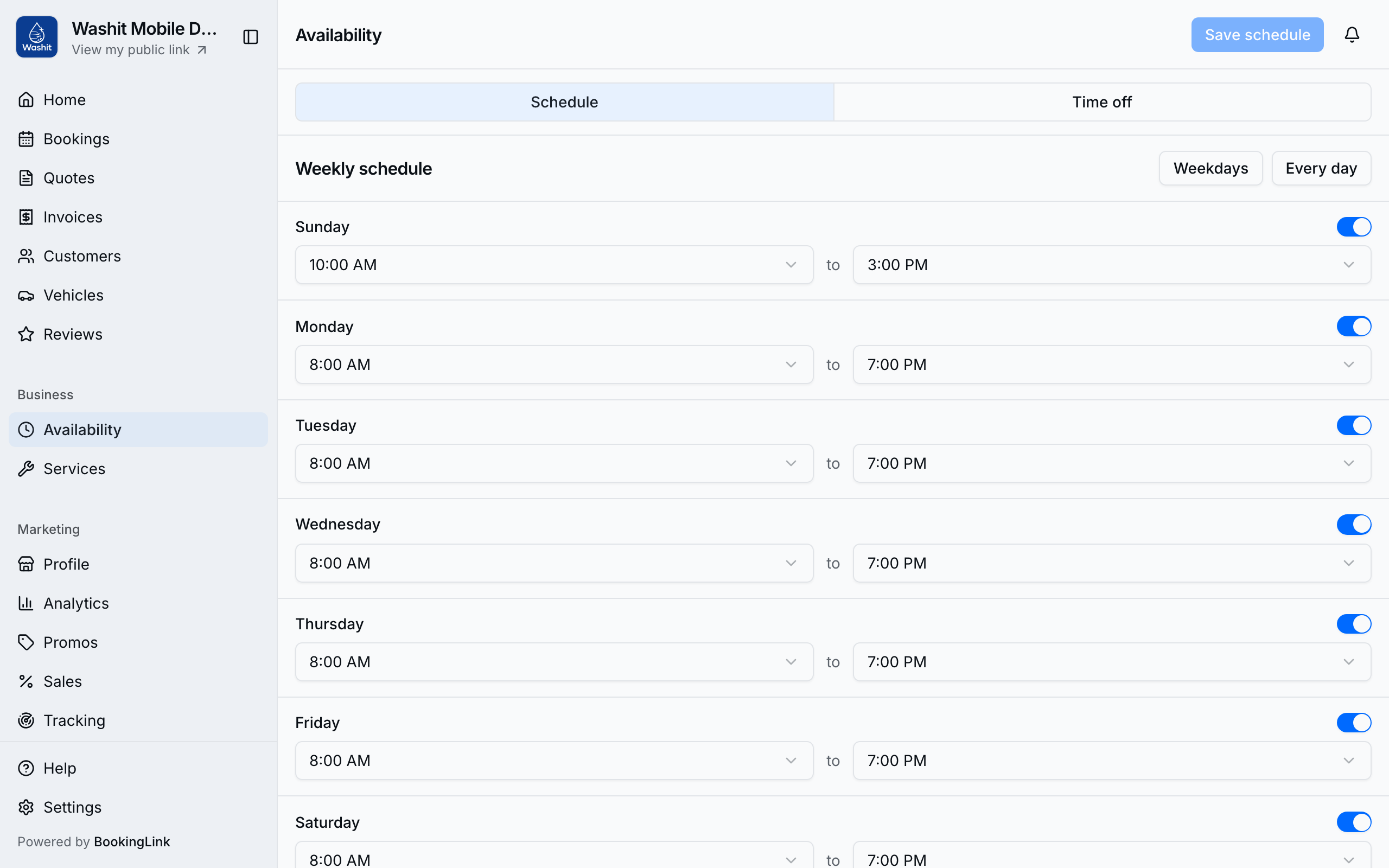
Edit the week under Availability (More → Business).
Set your weekly schedule
- Open Availability.
- On Schedule, turn each day on or off and set start / end times (30-minute steps).
- Use presets like Weekdays or Every day when they match how you work.
- Tap Save schedule.
Public booking and the provider booking wizard both read this calendar in your business timezone. For we come to you, open times also skip slots that do not leave enough drive from the previous stop (or to the next one). Shop and online visits still use hours, time off, and service buffers only.
Block time off
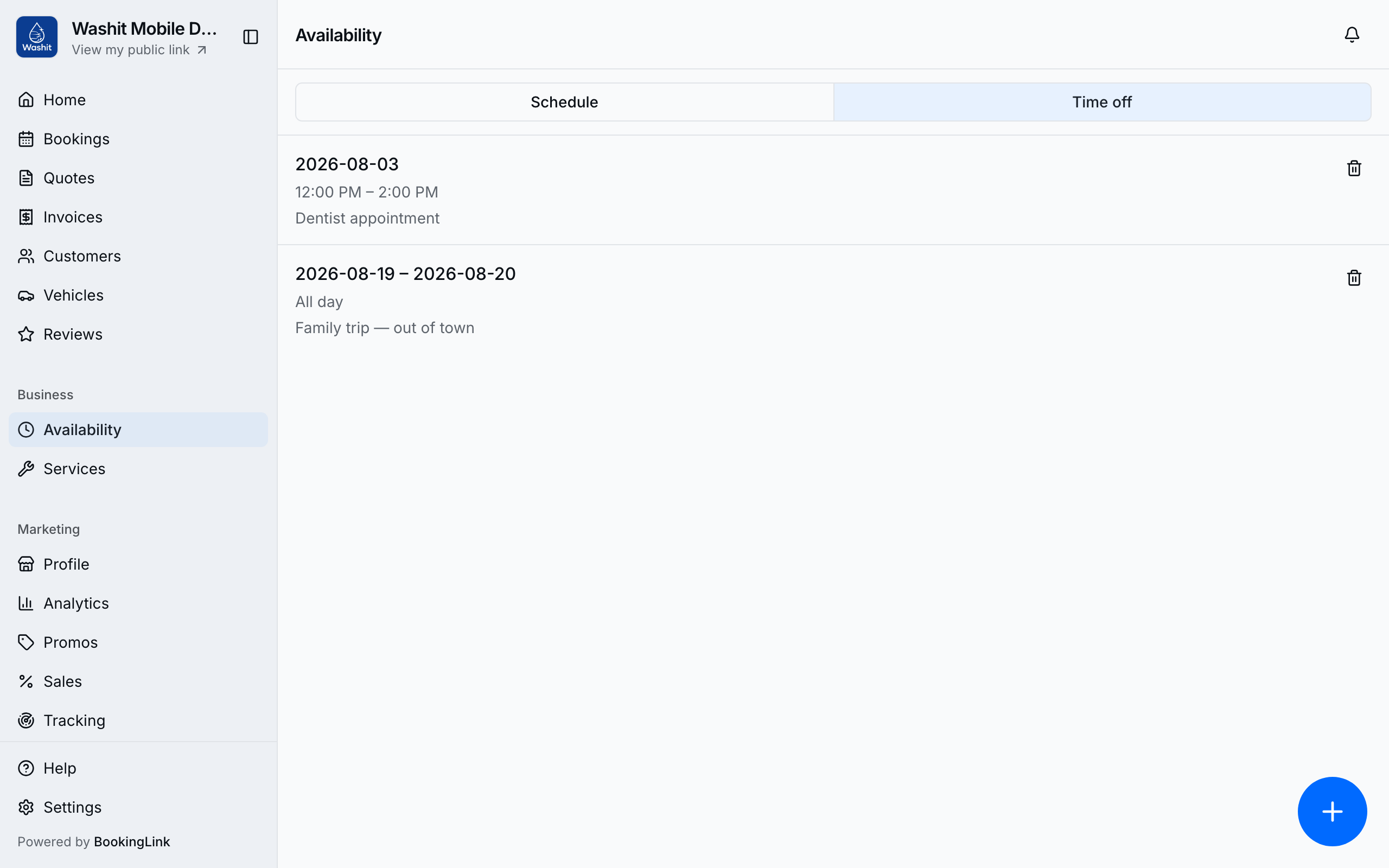
- Switch to the Time off tab.
- Tap Add time off.
- Choose the date range (and times when it is only part of a day).
- Save with Add time off.
- Delete a row with Delete time off when plans change.
How this connects to bookings
- Each service also has lead time and booking window — those exclude last-minute or far-ahead slots for that service.
- Confirmed bookings occupy slots; completed ones do not block the calendar the same way.
- For jobs at the customer, drive time between that day's in-person stops can hide a time even when the hour is open.
- Turn Accept bookings off in Settings → Bookings if you need the public page closed entirely.
- Set Travel buffer in Settings → Bookings if you want extra minutes after the drive before the job starts (separate from the service buffer on each service).
- Use the Day planner to see how today’s bookings sit on the grid after hours are set.
Tips
- Always edit availability here — not on Profile.
- After big schedule changes, spot-check your public page for an open day so customers still see slots.
- Time off is the right tool for vacations and single-day blocks; do not “fake” closed days by deleting services.