Customer vehicles
Keep year, make, model, and plate on file so every booking and quote names the right car — no “which one?” texts in the driveway.
See it in action
See it
Vehicles list with customer cars ready to attach to jobs
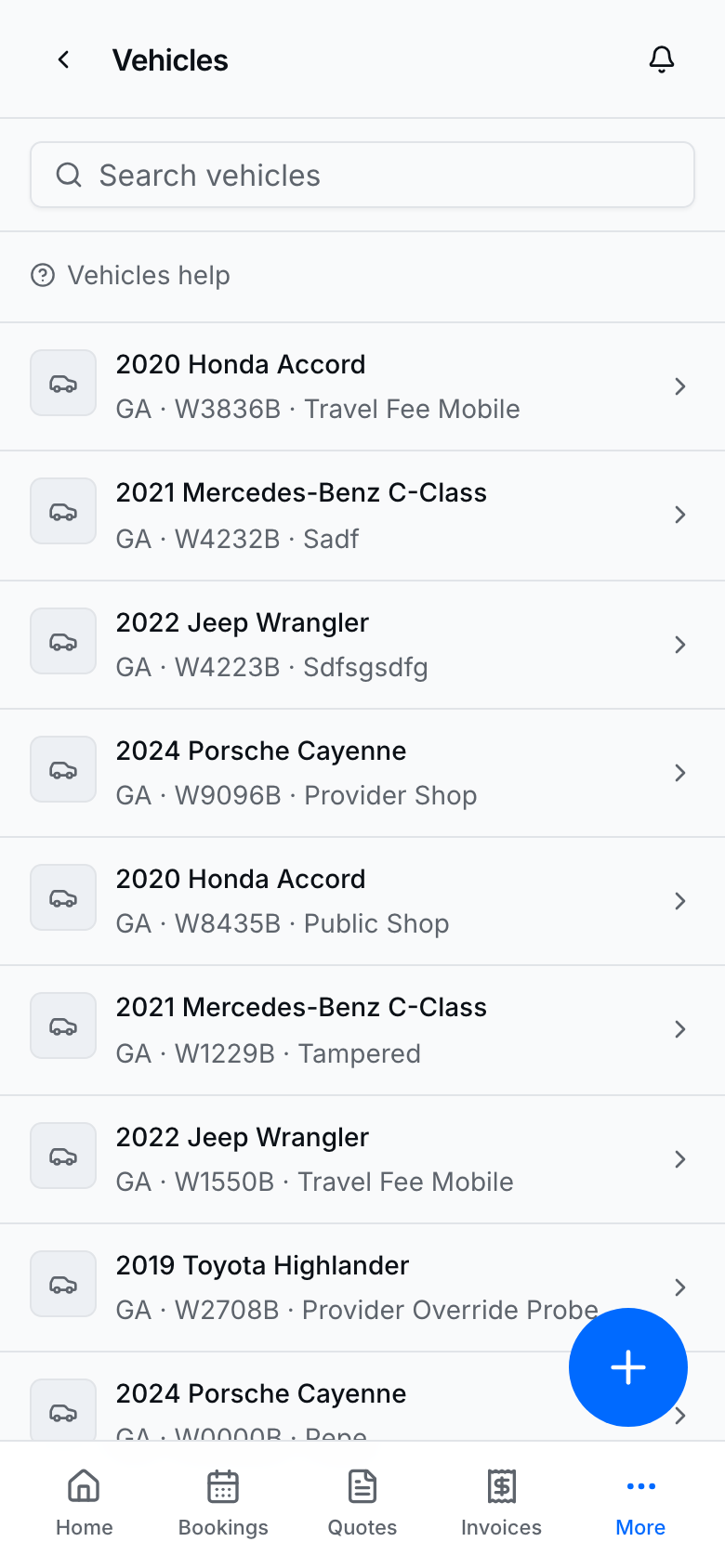
Open Vehicles when your business type supports vehicles (detailing, tint, and similar verticals).
Add a vehicle
- Open Vehicles or a customer detail page.
- Tap Add vehicle (or the equivalent create control).
- Enter year, make, model, and plate (plus tint / color fields when your industry uses them).
- Save, then attach that vehicle on new bookings and quotes.
- Search by plate or customer name when the list grows.
On a job
See it
Vehicle detail with year, make, model, and plate on file
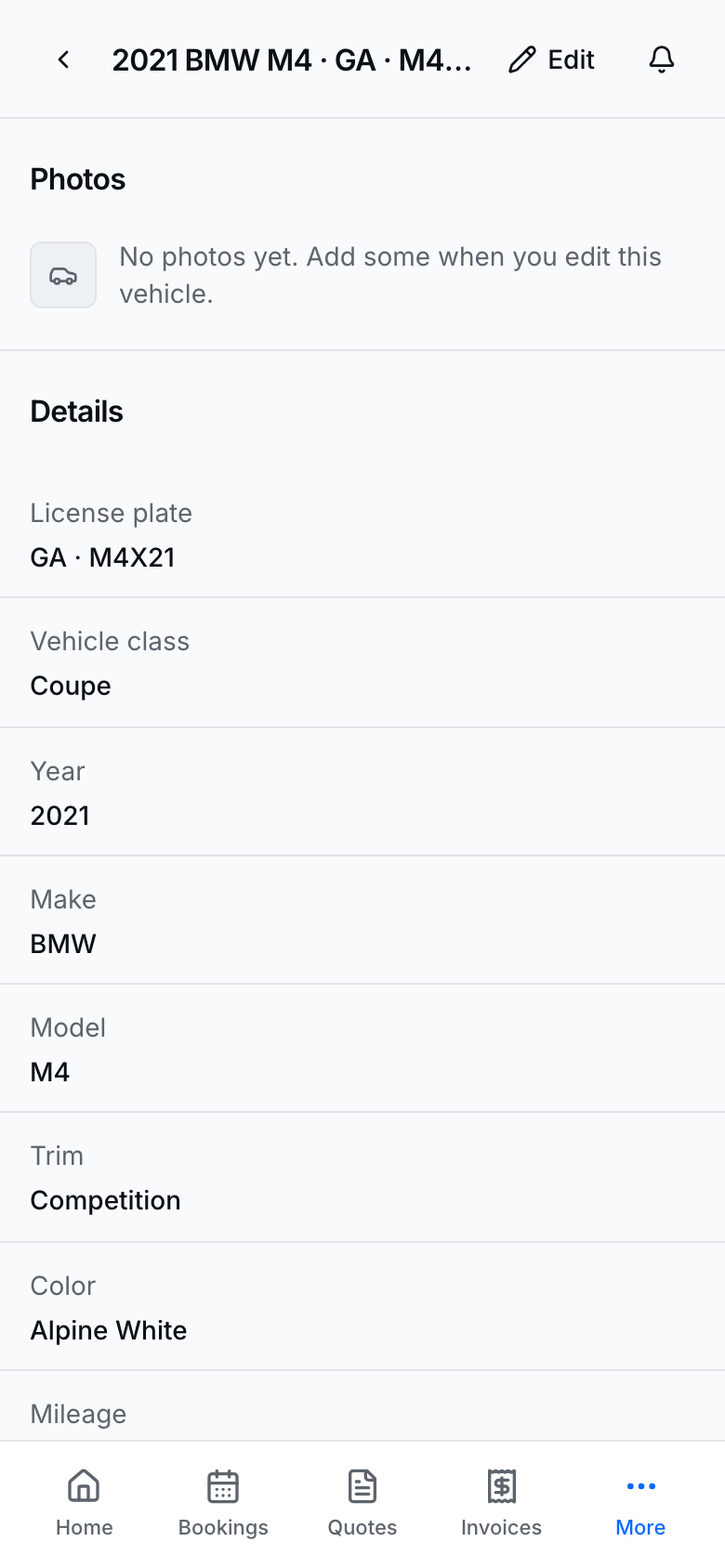
- Open the vehicle for photos, specs, and notes on the left; owner, bookings, and inspections on the right.
- The + button adds a note, photo, inspection, or booking (customer already filled in).
- Empty profile tile says Add profile photo — tap it to upload a large photo (JPG or PNG). Smaller gallery tiles sit under it.
- Tap the Notes pencil to add reminders (same as customer notes). The header ··· menu deletes the vehicle; past jobs keep the snapshot.
- Prefer attaching the customer’s own vehicle — not a random shared car — so CRM history stays clean.
- Add inspections with notes and photos when you walk the car.
- From booking or quote flows, pick the vehicle when the wizard asks so the job ticket shows the right car.
- Public Request a quote can collect year, make, and model the same way as public booking (photos stay on the quote).
Tips
- The list top strip shows Vehicles, Customers, With photos, and Inspections so you can see fleet size and CRM completeness at a glance.
- Use Notes on the vehicle for reminders (same as customer notes). The header ··· menu deletes the vehicle; past jobs keep the snapshot.
- Vehicles are provider-side; they do not appear as a public catalog.
- On a phone, Vehicles lives under More at every width — even when Customers is a bottom tab on wider phones.
- If Vehicles is missing from nav, your business type may not enable the vertical — check Profile / business type setup.
- Seeded Washit demos include showcase cars (search a plate like M4X21 in demo data).