Services
Your catalog is what customers choose from. Clear names, prices, durations, and booking rules mean fewer “what do you offer?” messages and cleaner public slots.
See it in action
See it
Services catalog customers pick from when they book
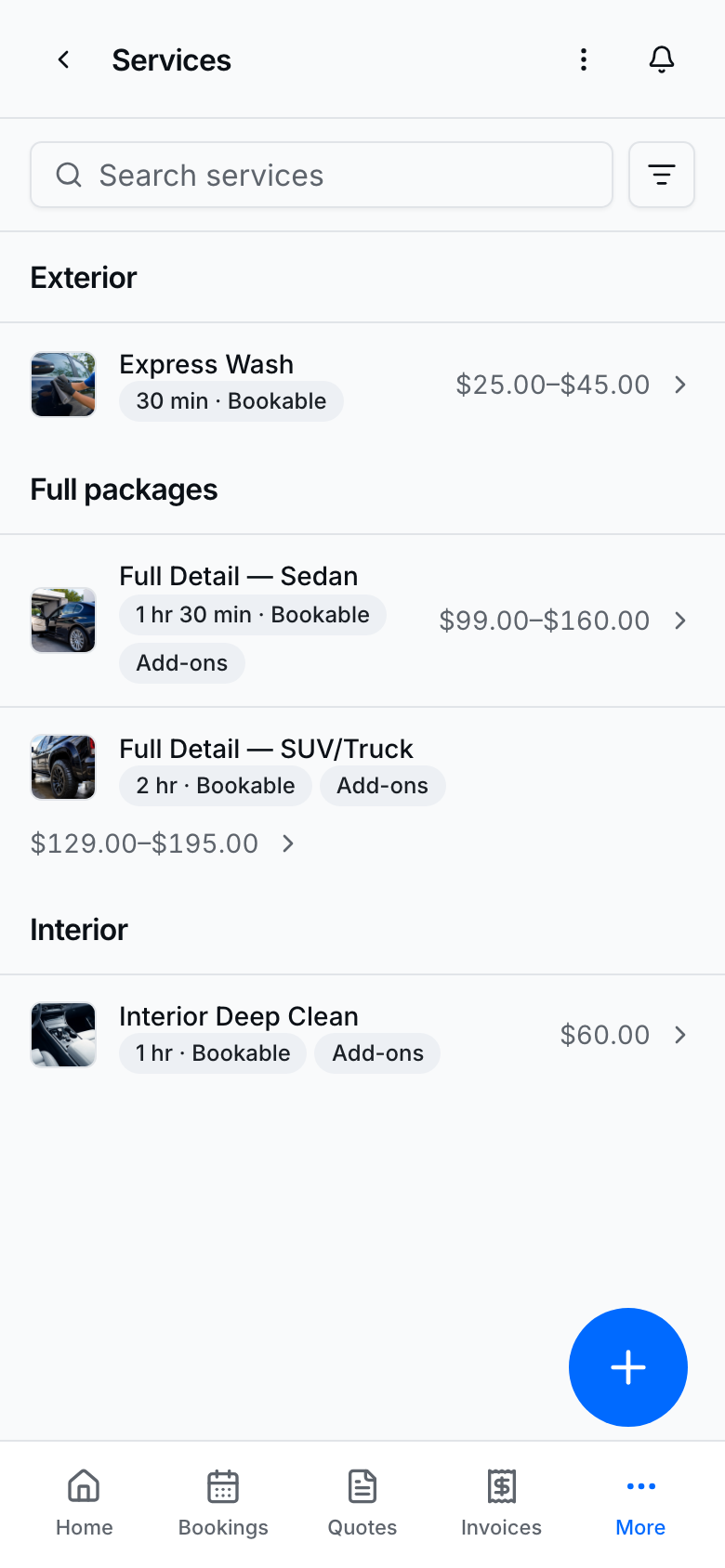
Active, bookable services on Services appear on your public page with price and duration.
Add a service
- Open Services → Add service.
- Set name, price, duration (30-minute steps), category, and description.
- Choose where the job happens (we come to you, at the shop, online, or combinations your product supports).
- Under Booking rules, set buffer before/after, lead time, and booking window for this service.
- Turn Booking on so it can be booked publicly; keep Active on so it stays in the catalog.
- Optional: turn FAQ on and add at least one question — customers see those answers on that service’s public page. Turning FAQ off hides them without deleting.
- Optional: turn Deposit on and configure the deposit (see Take deposits & payments).
- Save changes / Add service.
Pricing tiers and add-ons
- On the service, Add tier when Solo / Pair (or similar) packages differ by price or duration.
- Manage shared extras under Add-ons and attach them to services that offer them.
- Organize the catalog with Categories.
Booking off = useful for invoice-only lines that should not appear on the public book flow. Active off hides it from the live catalog.
On your public page
See it
Public page showing Express Wash the way customers see it

This is the customer view of the same catalog — what they tap before Book now.
Tips
- Duration uses 30-minute steps so slots stay aligned with Availability.
- Buffers keep travel or reset time out of overlapping public slots. On Today's route they show as a short row above and below the stop.
- Lead time and booking window are per service (not under Settings → Bookings).
- Hide Book now entry points when you have no public bookable services — empty catalogs should not start a dead flow.