SMS & email updates
Keep customers in the loop without typing the same update twice. Confirmations, reminders, on-my-way windows, pay links, and review asks go out for you — and you get pinged when someone books.
See it in action
See it
Communication catalog of SMS and email message templates
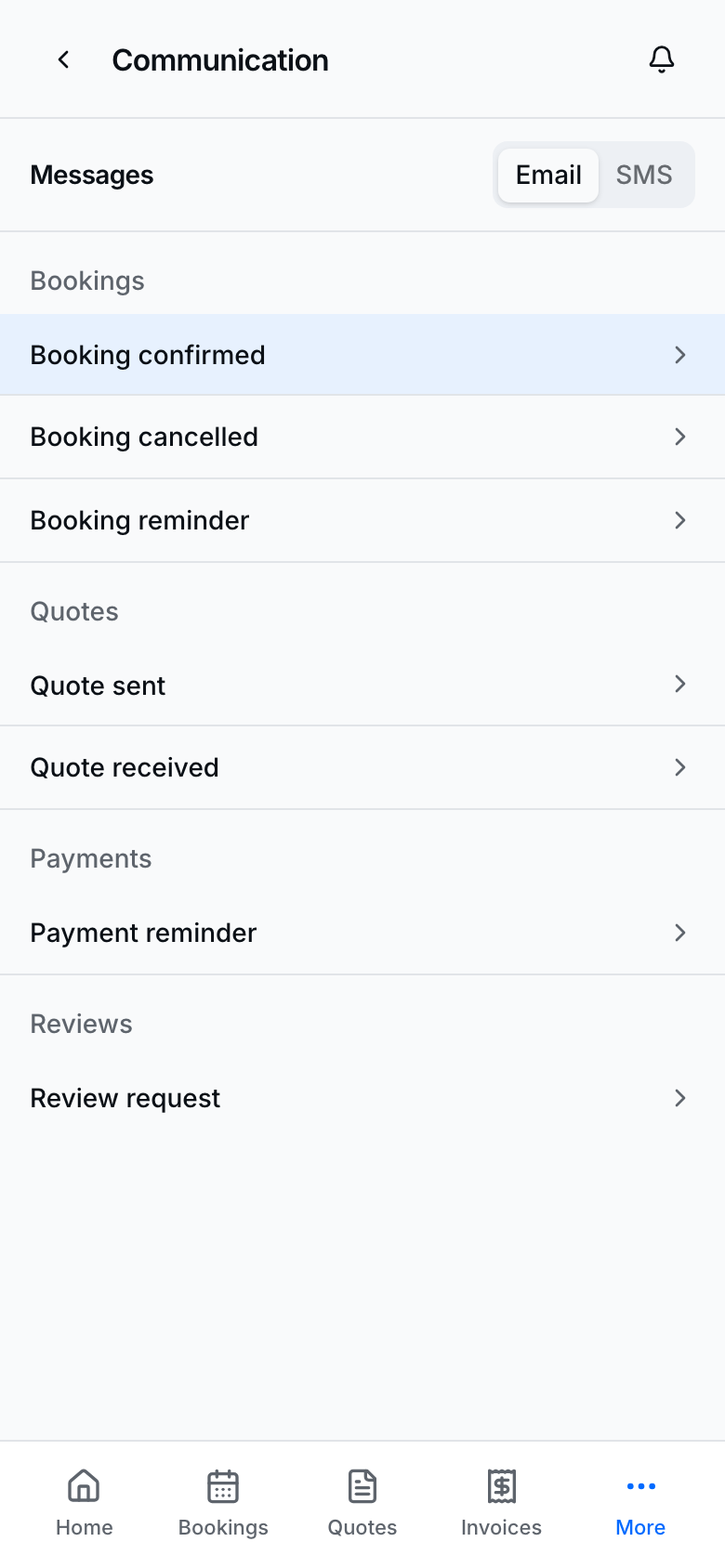
Browse the templates BookingLink sends so you know what customers will receive.
Browse the message catalog
- Open Settings → Messages (Communication).
- Choose Email or Text.
- Browse categories such as Bookings, Quotes, Payments, and Reviews.
- Tap a template to preview subject/body (email) or the SMS bubble.
- This screen is view-only — wording is owned by the product; you do not edit copy here.
What customers opt into
- On public booking / quote flows, customers see messaging consent (text and/or email).
- Phone is required; email is optional.
- Keep consent accurate when you create bookings yourself so you do not text people who did not agree.
- Imported customers start without marketing consent — ask before you blast them (see Customers).
Related toggles
- Booking reminders — Settings → Bookings.
- Automated review reminders — Settings → Reviews.
- Quote / booking accept toggles — Settings → Quotes / Bookings.
- Manual Send quote, Send payment reminder, and Request a review still respect the customer’s channel choices.
- From Today's route or Home Today's route companion, On my way (last 30 minutes before leave-by) and Running late send a 30-minute arrival window (never a single clock). Completing an at-customer stop sends All done - not a review ask in the same moment.
Tips
- Preview samples here before you rely on a flow with real customers.
- STOP and platform SMS rules still apply even when consent was collected in-app.
- Prefer email when the customer gave one and the message includes long links or PDFs.