Today's route
Know when to leave, where to go next, and how far the drive is — without rebuilding the day in Maps by hand. Built for in-person stops from your homebase.
Before you start
- Confirm Availability and today’s bookings are accurate.
- Use visit types that are in person (we come to you / at the shop) so stops have addresses.
- Keep your homebase / business address complete on Profile so leave-by math has a start point.
See it in action
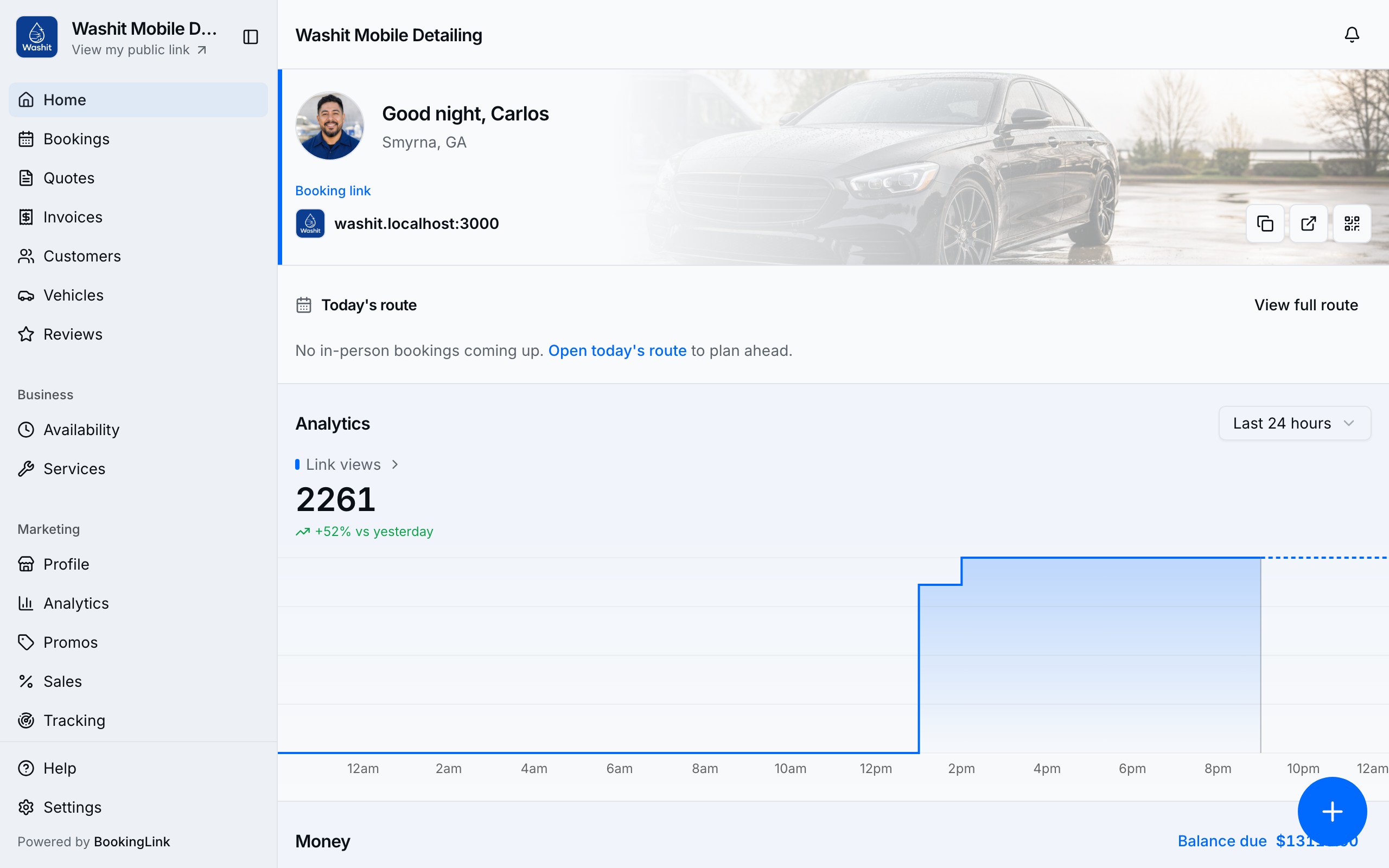
From Home, Today's route companion shows right now and what's next. Before you arrive, the drive item is enough: leave-by, then a Drive {mins} - {distance} spine row, then Arrive at {name} @ {time} with Open booking, address with Directions, phone with Call, and On my way / Running late when in window — no separate Then peek. On site, that drive drops off and the booking card takes its place (Complete, Call, address); next becomes the drive to the following stop. Open booking sits on the in-progress card (top right) once you're on site. When today is done, Home falls through to tomorrow and the title becomes Tomorrow's route companion. The companion lives on Home only — Routes is the day list (map + stops per day), not a second companion. Pins, numbers, and visit icons match the full day agenda (homebase is the amber H; customer stops use the same 1, 2, 3…). Opening a booking shows the same stop and drive rows under On this day. The Bookings list does not show this companion.
Open the companion
- Tap Today's route companion on Home. Open Routes in the sidebar (More on a phone) at Routes when you want the full day map and stop list.
- Confirm you have confirmed in-person stops today (at customer and/or at homebase). Tap the companion or View full route for today’s map and stop list. Upcoming days with stops are listed under Upcoming.
- Review Leave by, the driving item, and After that.
- Use Directions on the Arrive stop (the numbered pin) to open Google Maps for the stop you're heading to (or Open day in Google Maps on the full Route). Leave-by is the time to go; drive minutes and miles sit on their own Car spine row between leave-by and Arrive. The job you're already on keeps the address and Call, not Directions. Gate / parking / safety notes on the next stop (and each stop row) sit above those actions when the address has them — they are not in the Maps URL. Shop / homebase drives show the address without Directions.
- Tap Complete on the current stop as you finish — that completes the booking (same as booking detail) and advances the companion. If money is still due, Take payment opens so you can collect (or Complete unpaid on pay-later). Required unpaid jobs show Take payment until the balance is zero; the stop will not pretend to be done.
- On my way appears on the trip ahead only in the last 30 minutes before leave-by (or before start when leave-by is unknown), through that booking's start — so the night-before tomorrow companion does not invite a premature send. Tap it once so they get a 30-minute arrival window (not an exact clock). Running late appears after leave-by (while you're in the drive window) — or in that same lead window when leave-by is unknown — and asks for 10, 15, or 30 minutes. Shop stops stay call / directions only.
On the road
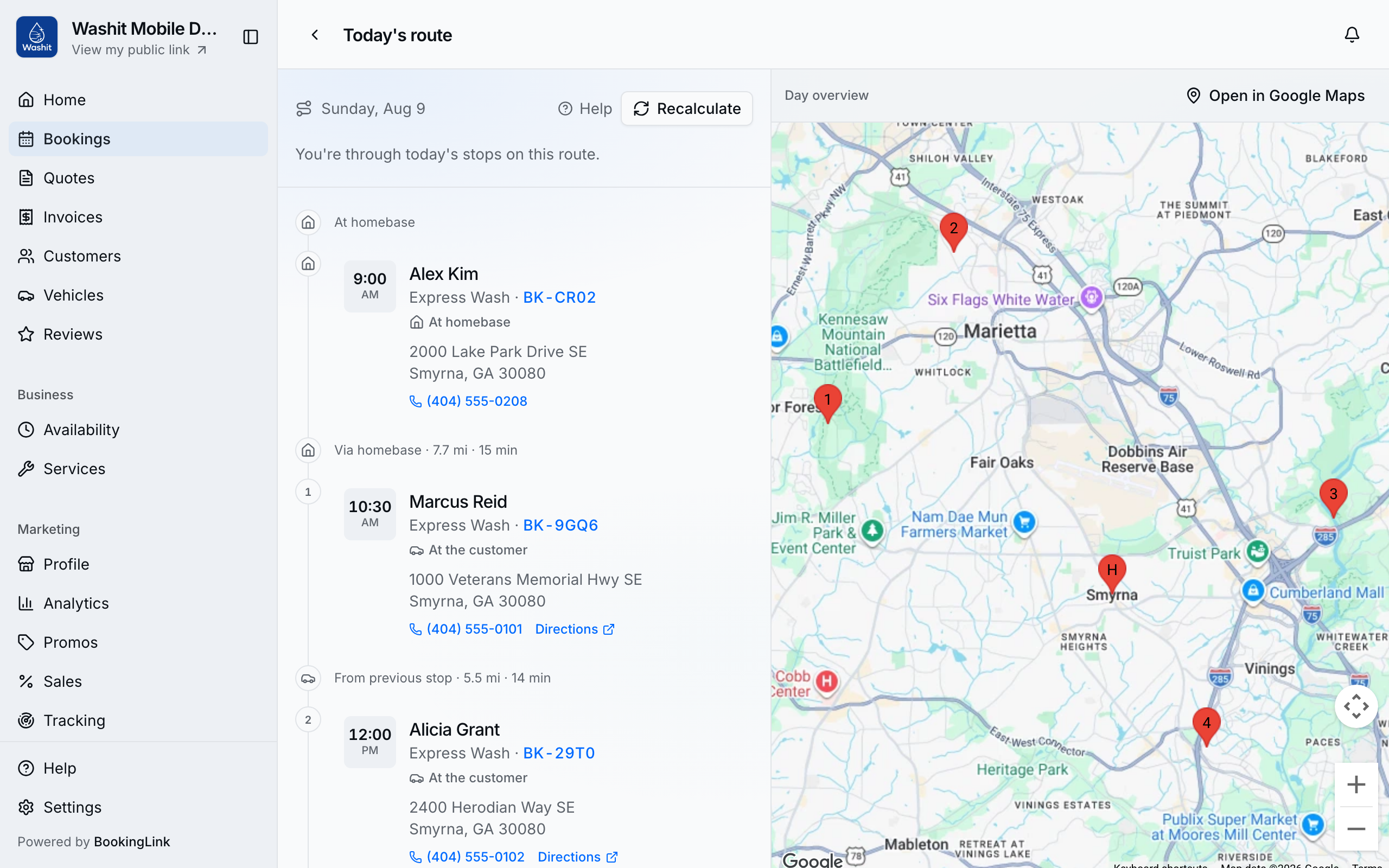
The full companion keeps leave-by, the map (driving route between stops), and the stop list in one place while booking times stay fixed. On a wide screen, hover a stop to see only that drive; two jobs at the same customer address still show the drive that got you there. Move away to see the whole day again. Homebase is the amber square H pin; customer stops are numbered blue circles. Two stops at the same (or very close) address share one pin labeled with both numbers, like 3–4.
What it does not do
- It does not reorder your day — booked times stay as booked.
- New at-customer bookings are checked at book time so a drive that cannot fit is not offered (older bookings can still leave a messy day).
- It does not replace the Day planner time grid.
- Online-only jobs are not drive stops.
Tips
- Shop / homebase language on the route uses homebase; booking wizards still say At the shop where that label applies.
- The Home companion map draws the trip ahead (roads). Before you arrive, that is the drive into the next stop. Once you're on site, it is the drive to the following stop or homebase (the same 2 → H the list shows) — not the inbound you already finished. Markers are that drive's ends: homebase when you leave from home, or the last stop when leave-by says you're leaving a customer — not a leftover homebase pin sitting off the line.
- Map pins use the same numbers as the stop list. Two jobs at the same address sit slightly apart so both numbers stay readable.
- Demo seeds (Washit) include a curated today mix for click-through.
- If two jobs overlap, the highlighted stop is the one that has already started — not the earlier job whose duration is still open.
- If the companion is empty, check that today’s bookings are confirmed and have in-person locations.
- Driving times are cached for a week so the companion and maps do not call Google on every load.
- Gate codes and parking notes live on the customer’s saved address (Customers). They appear on the next stop and each stop row so you do not open the customer record at the curb.
- Services with a before or after buffer show that padding as a short row above and below the stop, with how long it is. Customer-facing duration stays the service length.
- On my way / Running late / complete All done use the same SMS-or-email rule as confirmations (SMS & email updates). They never promise leave-by.